
Blueleaf Billing: Choosing Which Institutions You Bill
Billed Institutions sets which institutions’ accounts are in scope for billing. An account held at an institution you have not selected produces no fee. The feed type tells you where the data comes from:
- Managed: A direct custodial feed.
- Plaid/Yodlee: An outside institution whose data arrives through Plaid or Yodlee (held-away account).
- Manual: An account manually created and maintained by either the advisor or the client.
Select Billed Institutions:
- Go to Firm Settings and select the Billing Settings tab.
- At the top of the Default Billing Rules card, locate Billed Institutions.
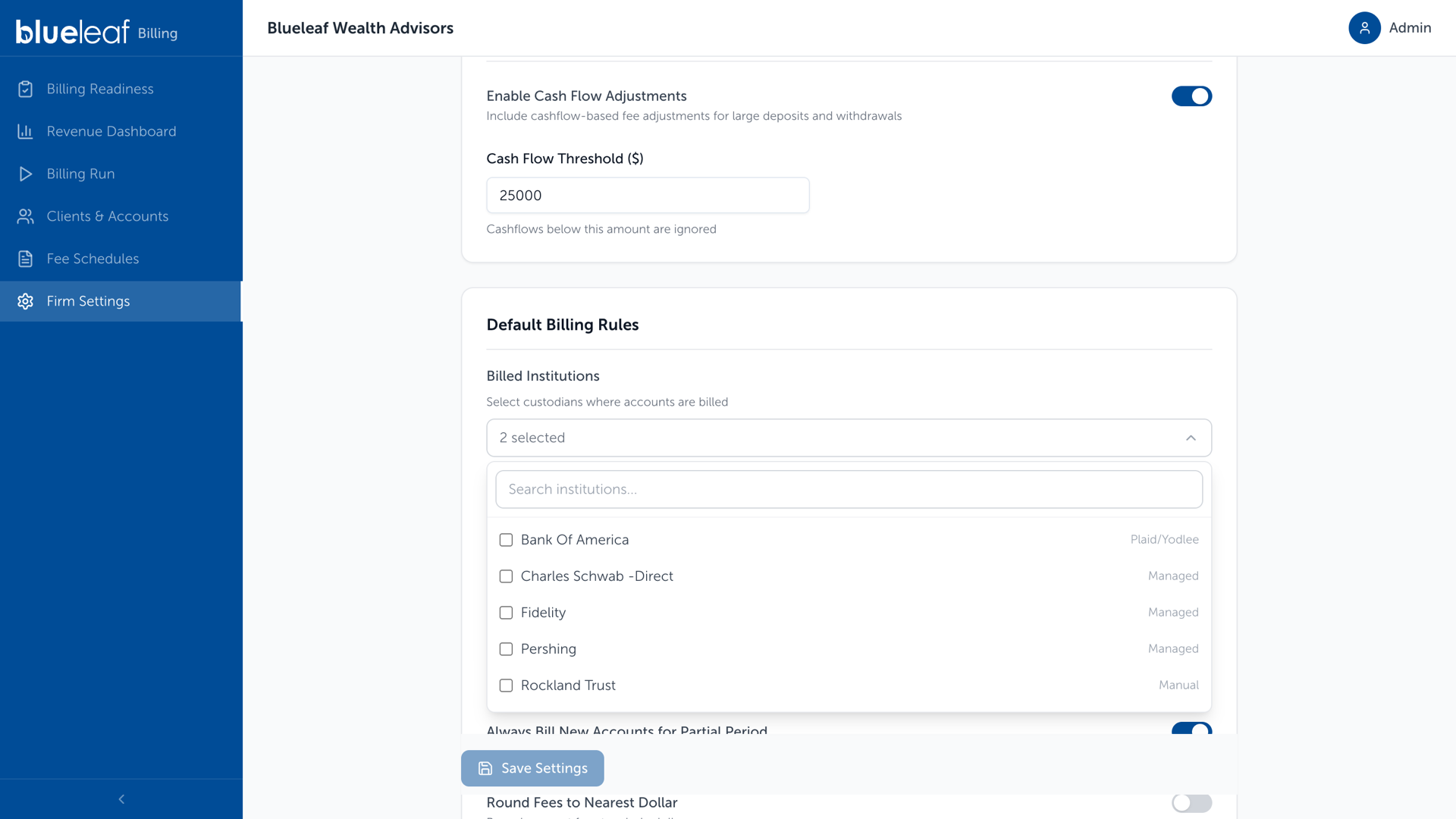
- Click the Billed Institutions field to open the list.
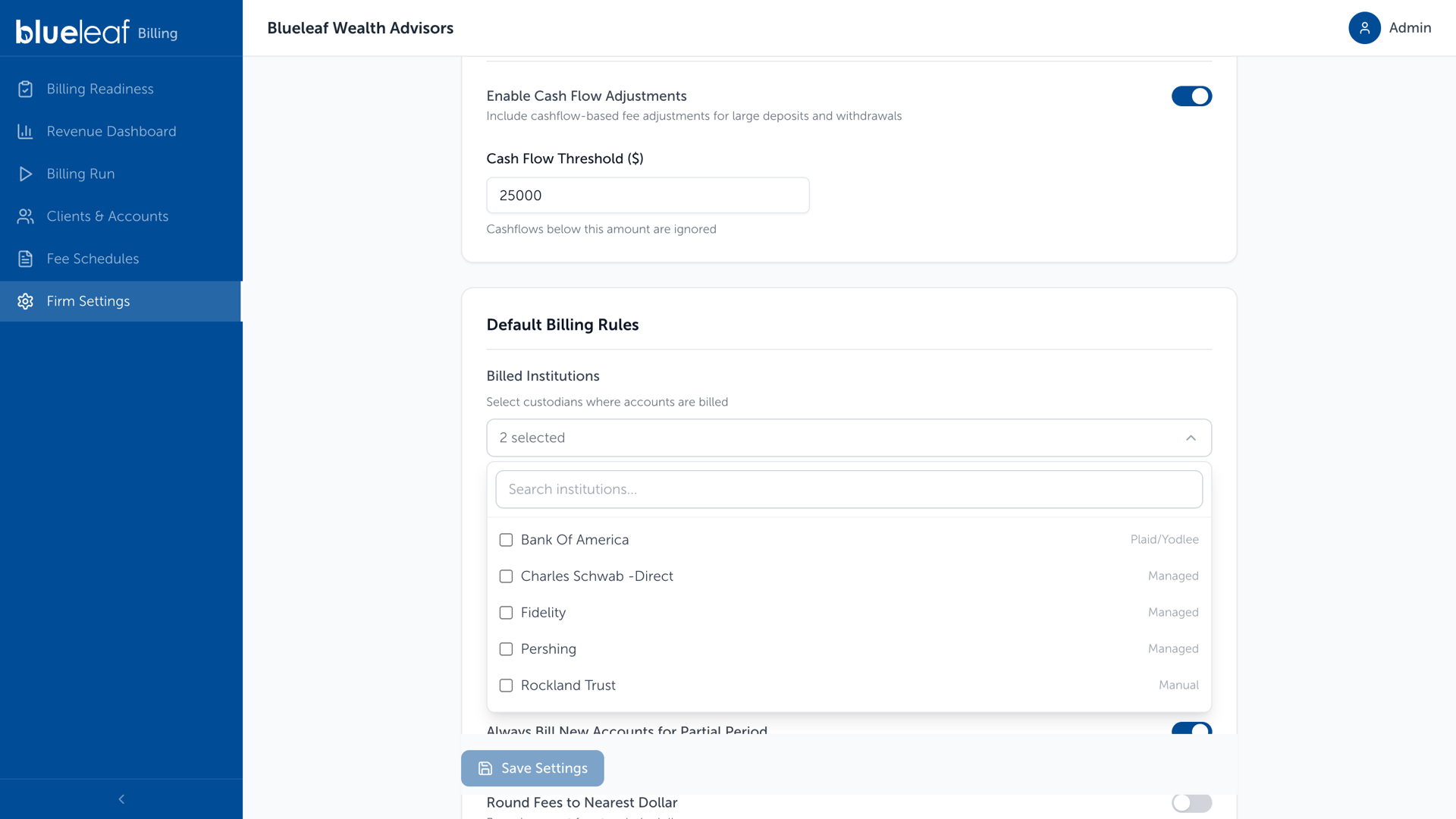
- Search for an institution by name.
- Select each institution you bill. Selected institutions appear below the field.
- To remove an institution, click the X next to its name.
- Click Save Settings.
Note: You must select at least one billed institution. If you try to save an empty list, the message “Select at least one billed institution” appears.
Held-Away/Manual Accounts: Include or Exclude Them in Billing:
To bill a held-away account or manual account, leave Exclude Held-Away Accounts off and select its institution under Billed Institutions.
Go to Firm Settings > Billing Settings tab, and find the Default Billing Rules card.
The Exclude Held-Away Accounts toggle is located further down the Default Billing Rules card.
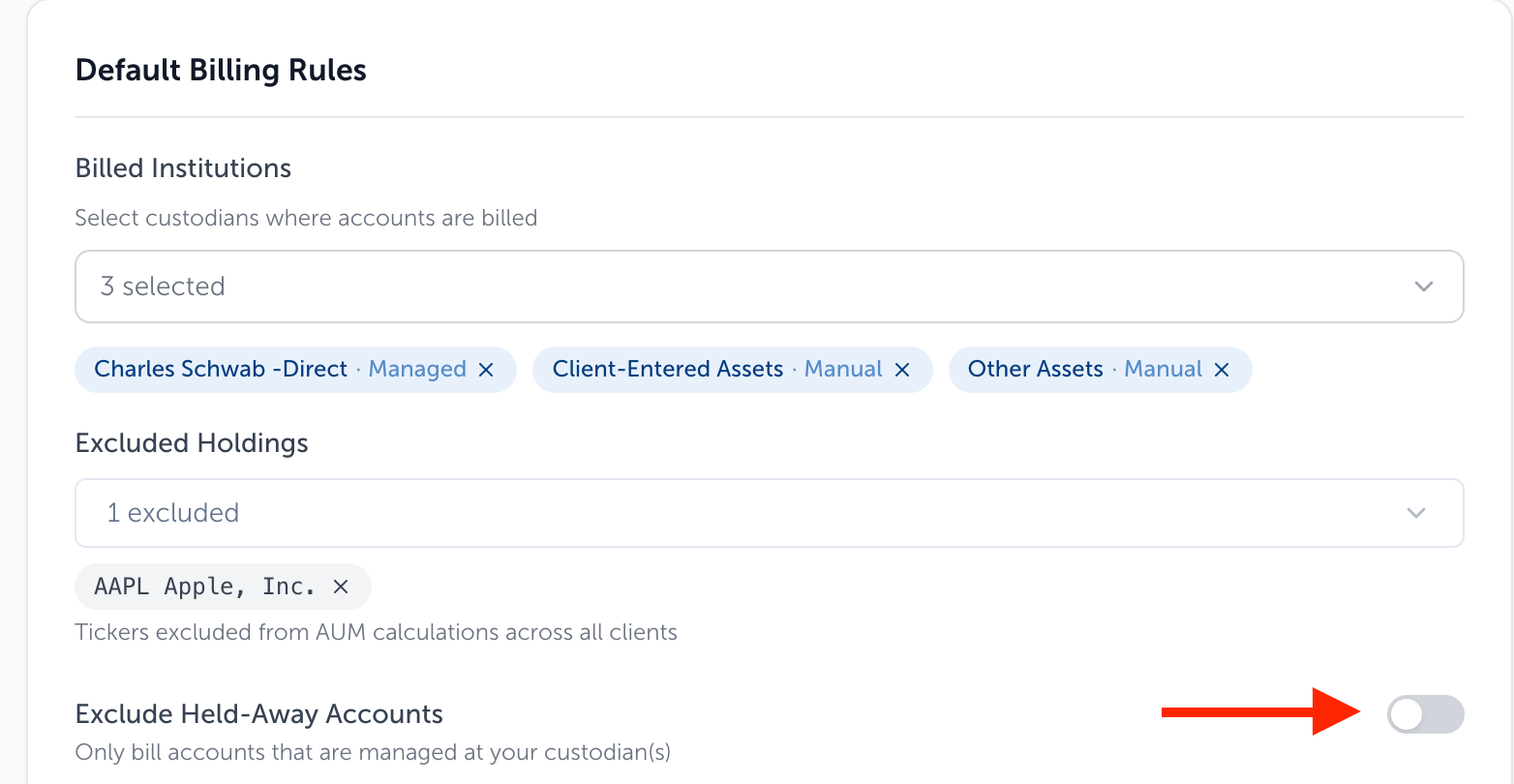
- Off: All accounts at selected institutions are billed, including held-away accounts if they are added as a selected institution.
- On: Only selected accounts with a Managed feed are billed. Turning it on removes institutions without a Managed feed from Billed Institutions and clears any selections that no longer qualify.
If held-away values look stale:
Data Import Status covers custodial feeds only, so held-away accounts do not appear there. Refresh a held-away connection in Blueleaf with the article here: Reconnecting Held-Away Accounts
Need help? Email vipsupport@blueleaf.com with any billing questions, feedback, or issues.