Track cash or specific holdings across all clients
Using our flexible automated exports, there's several things you can track across all your clients. One useful example is the ability to track cash values or specific holdings across all accounts. Here's how you can do it:
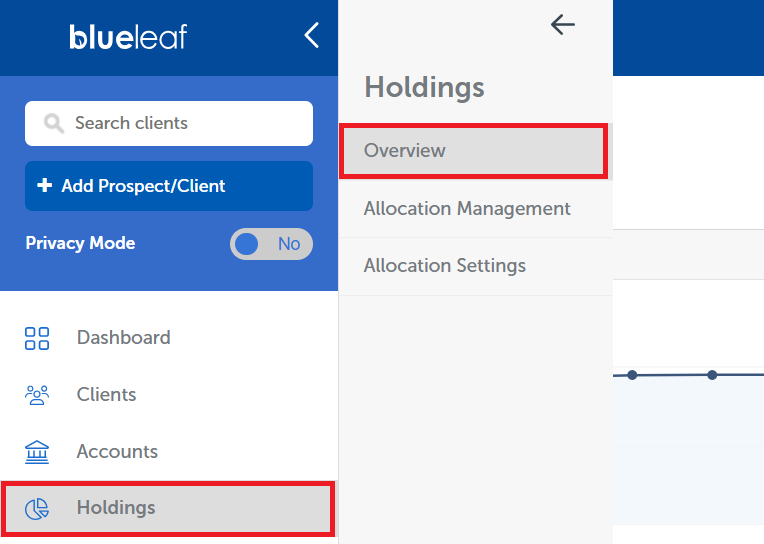
From your Advisor Dashboard, navigate to the Holdings Overview
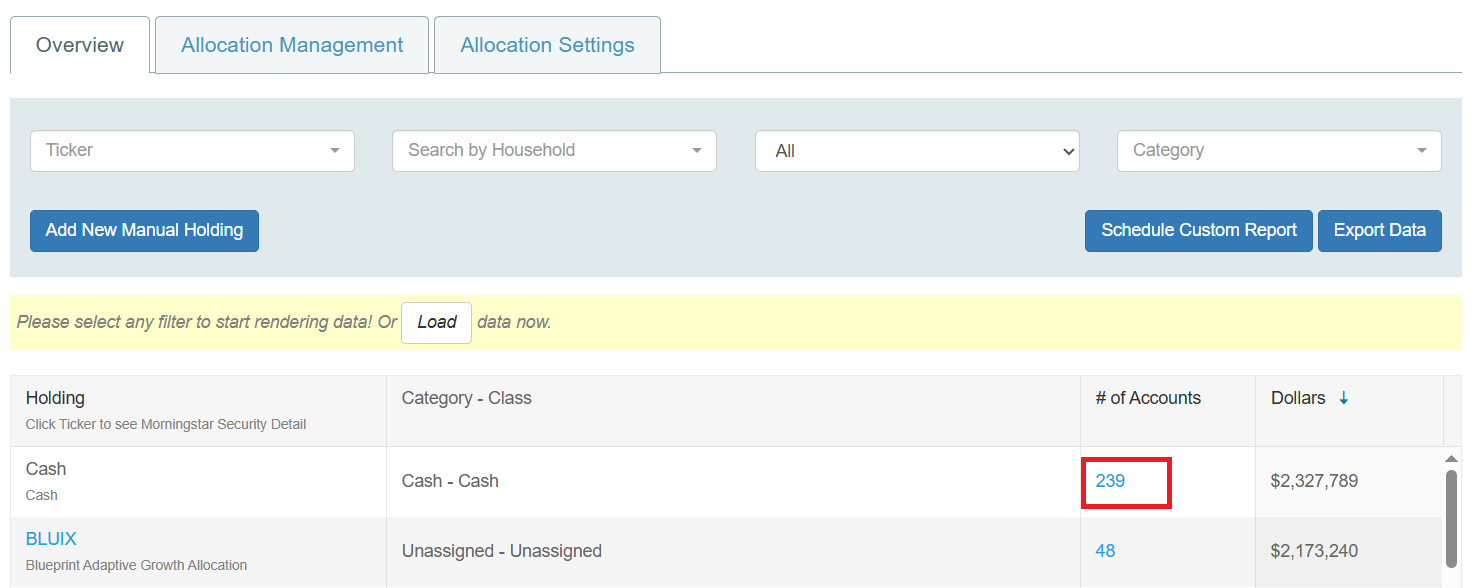
For any holding listed in the grid, you can click the link in the "# of Accounts" column. This can be done for cash or any other holding. Note: different custodians often identify cash differently, so there may be a few identifiers listed.
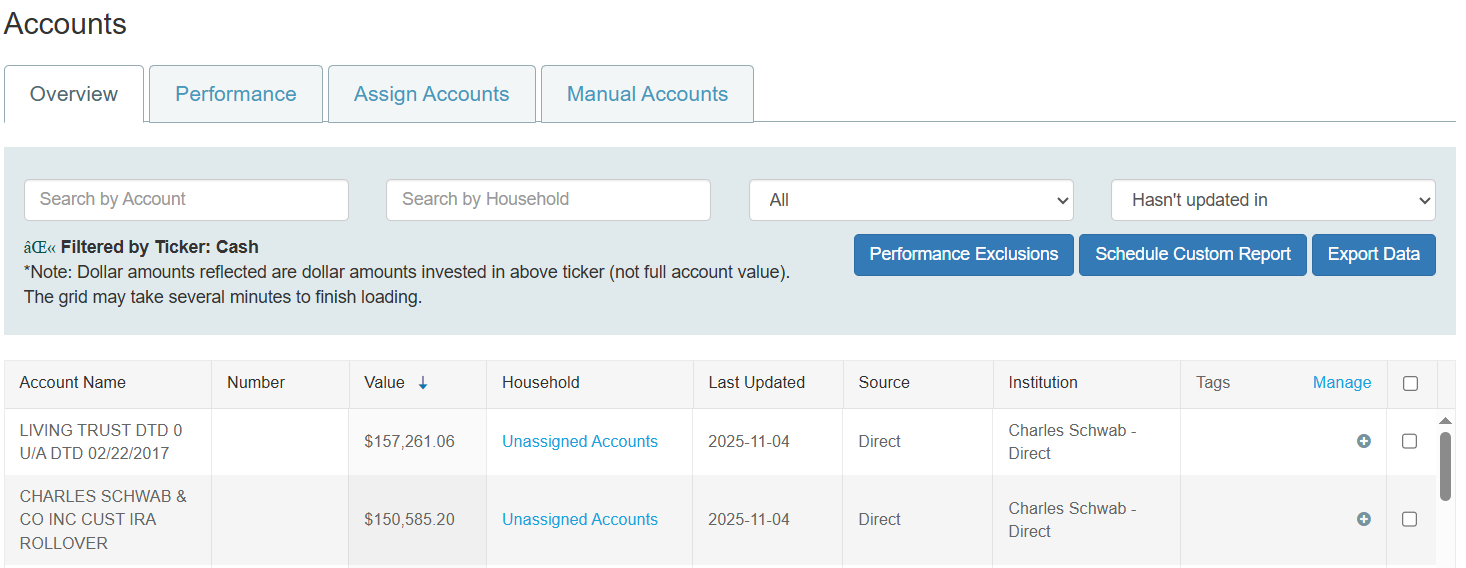
This will open a page listing all the accounts that have this holding, including the value of the holding in each account. You can click “export data” to download the data to excel, or click “schedule custom report” to get it sent on a regular basis.