
Blueleaf Billing: Client Level Overrides
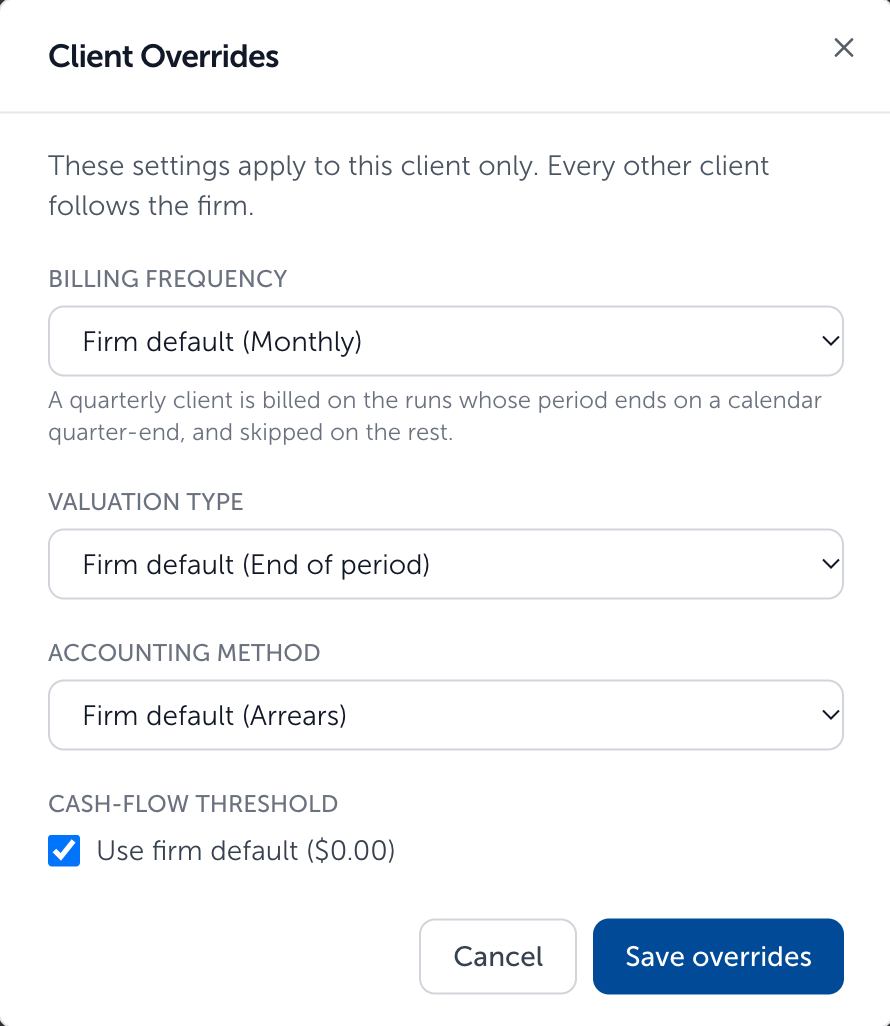
This article outlines the client-level billing configuration options available to support mixed billing settings. Currently, there are four settings available to change at the client-level depending on your firm level settings:
- Billing Frequency - only shown if firm is set up to bill "monthly", allowing for clients to be overridden to "quarterly"
- Valuation Type - ADB or Period End
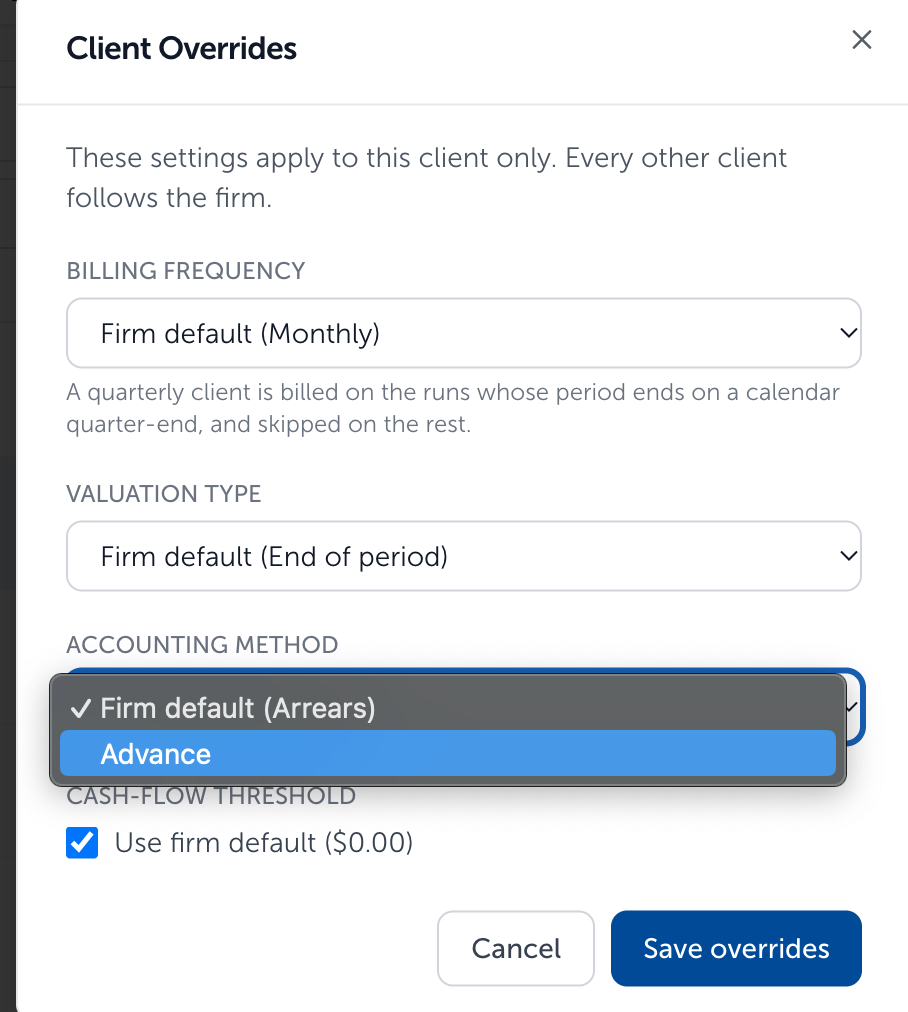
- Accounting Method - Arrears or Advance
- Cash-flow Threshold - only shown if firm is set up for "cash-flow adjustments", allows the firm level cash-flow threshold to be overwritten at the client level
Choosing Client Overides for single client:
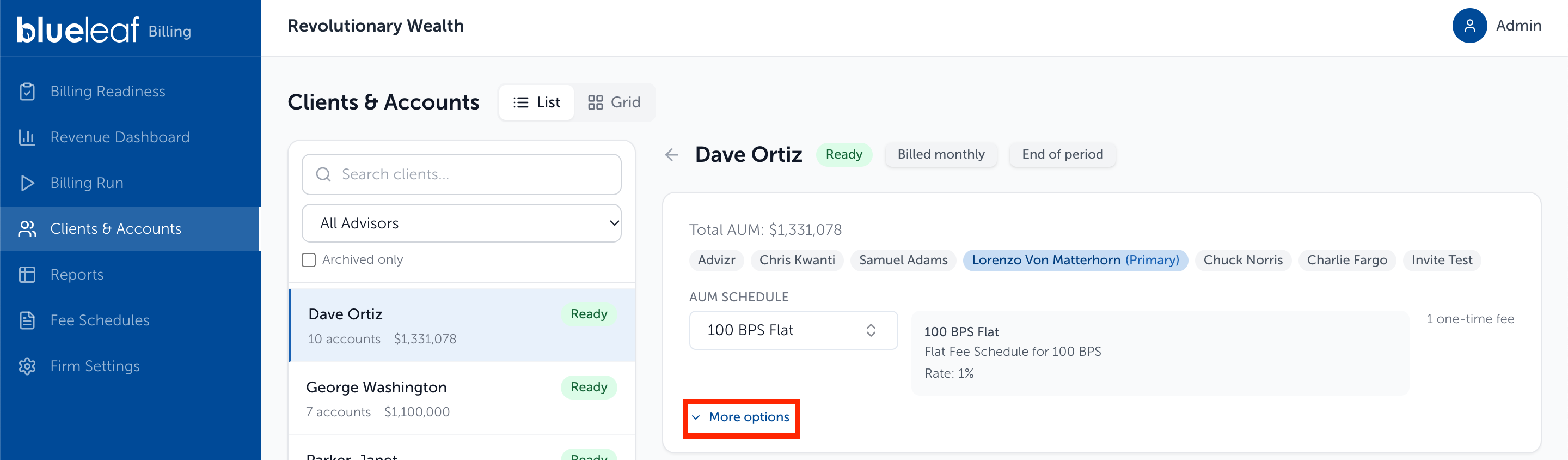
- Go to Clients & Accounts page, and select client you wish to change the settings for from the list on the left-side of the screen
- Click "More Options" button
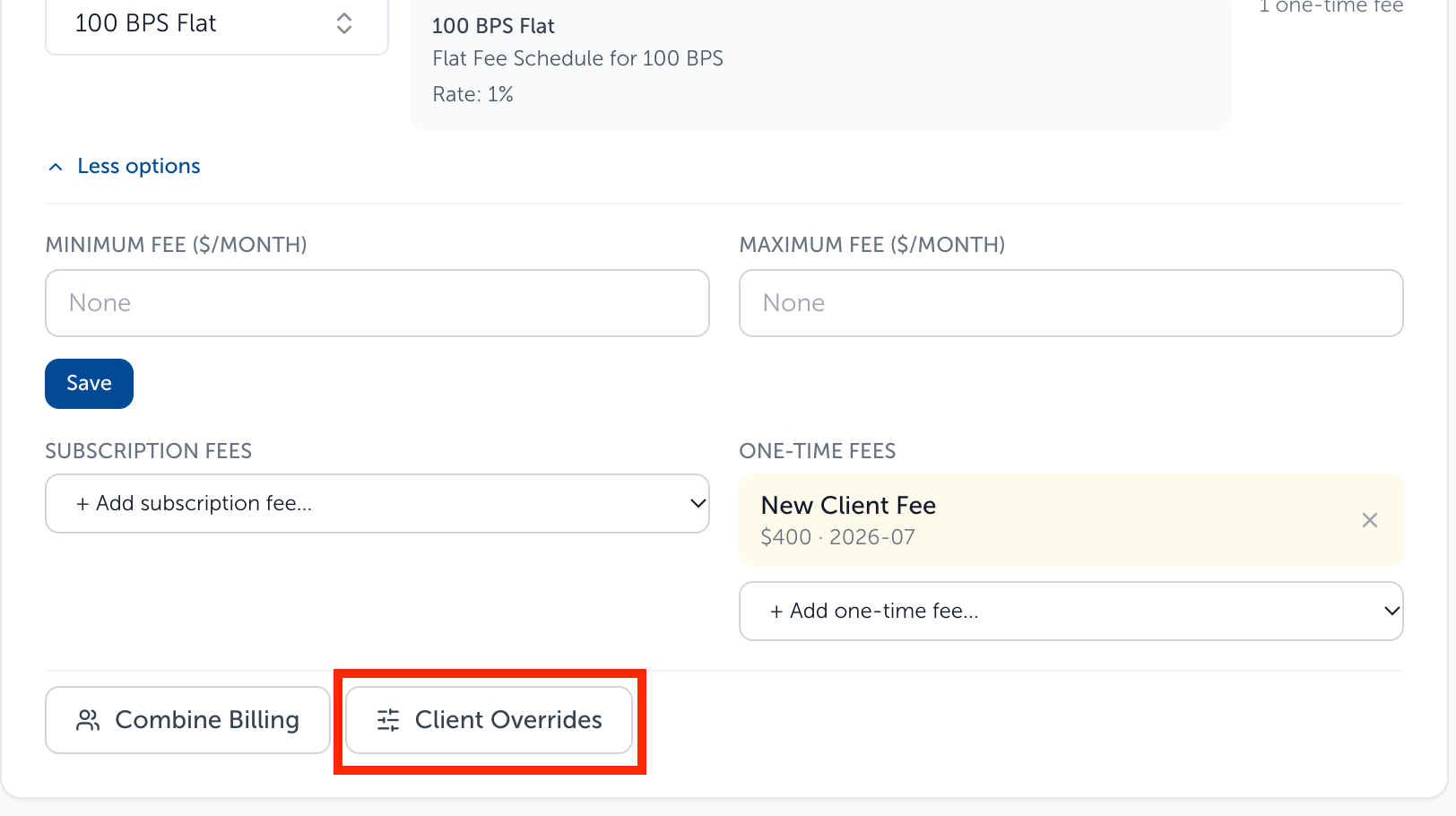
- Click "Client Overrides" button
- A pop-up screen will appear where you can edit the Billing Frequency (firm default must be monthly), Valuation Type, Accounting Method using the drop-down menus
For Cash-flow Threshold (firm default must be enabled for cashflow adjustments), unselect the "Use Firm Default" checkbox to enter the client-level cash-flow threshold in the box that appears.
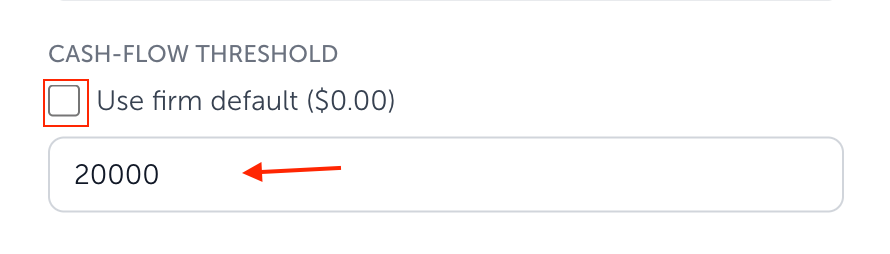
- Once the desired options are selected click "Save overrides" button to save changes

Choosing Client Overides for clients in bulk:
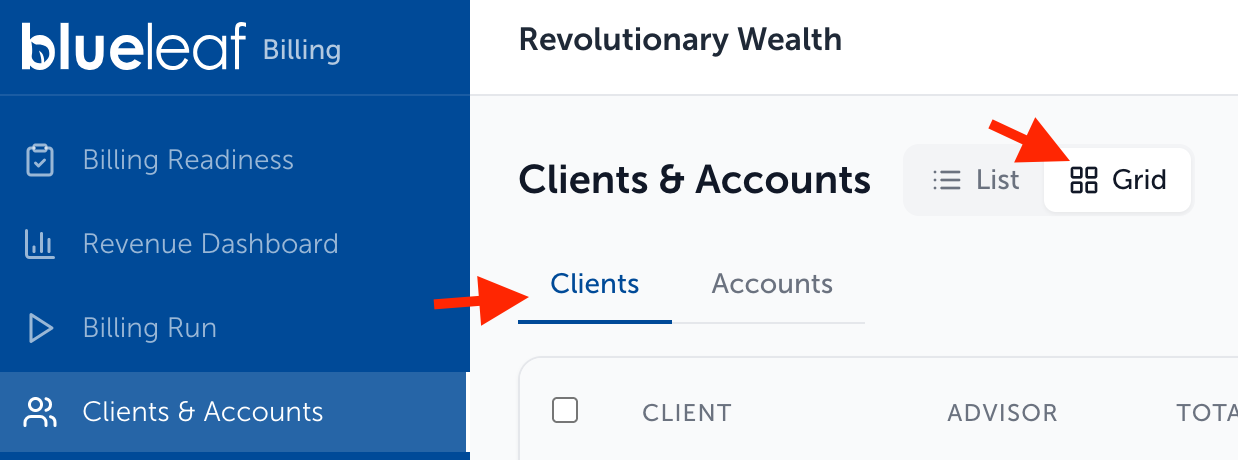
- Go to Clients & Accounts page, and select "Grid View". Make sure that you are viewing the "Clients" tab
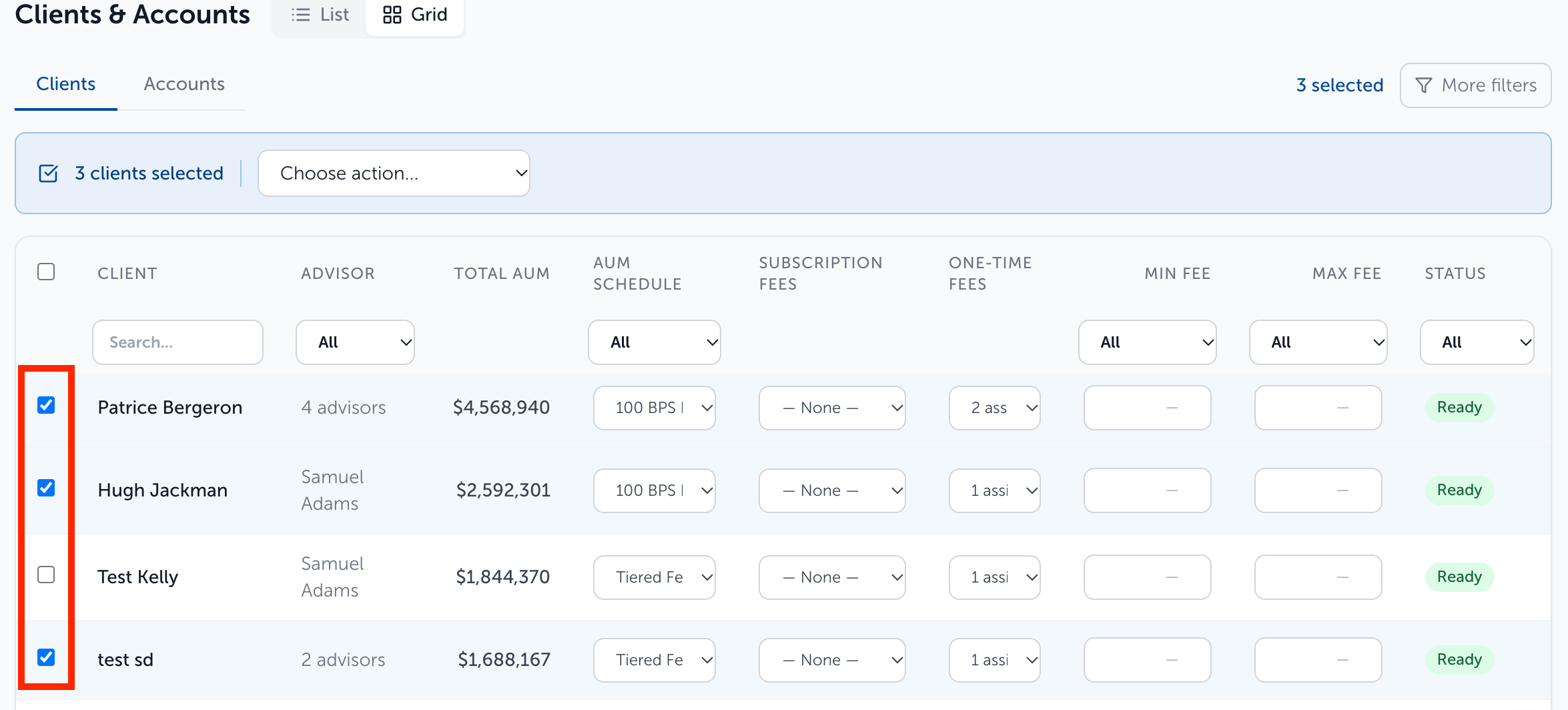
- Select the clients you wish to include to make the client overrides using the checkboxes on the left-hand side of the grid view. The checkbox to the left of the headers selects all clients
- After selecting the clients to include, choose "Set Billing Frequency", "Set Valuation Type", "Set Accounting Method", "Set Cash-flow Threshold" from the drop-down action list
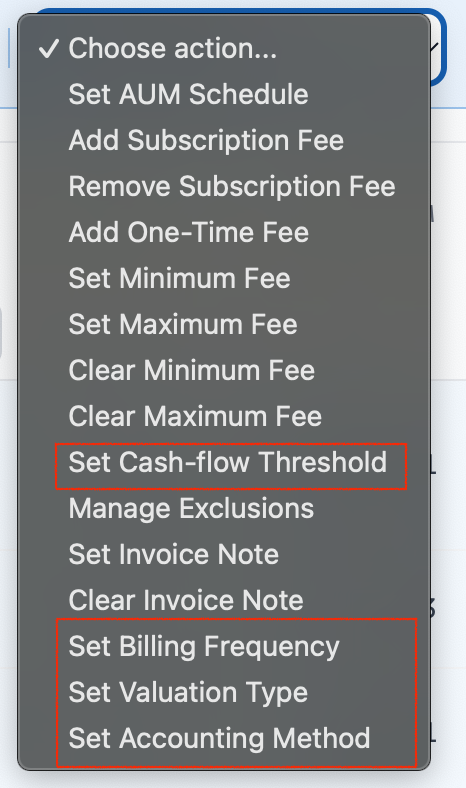
- Choose the desired change from the drop-down menu that appears after selecting the option from step 3. For "Set Cash-flow Threshold" enter the value
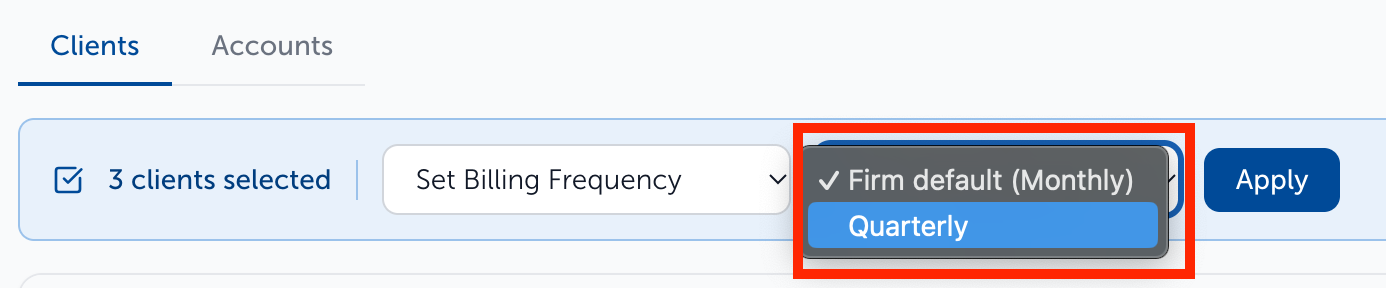



- Click "Apply" to save changes

Need help? Email vipsupport@blueleaf.com with any billing questions, feedback, or issues.