
Blueleaf Billing: Understanding Small Discrepancies and Rounding
A difference of a cent or two comes from the rounding on screen. A larger gap is usually the valuation date or the billable value, and the billing run shows you both.
What the screens round:
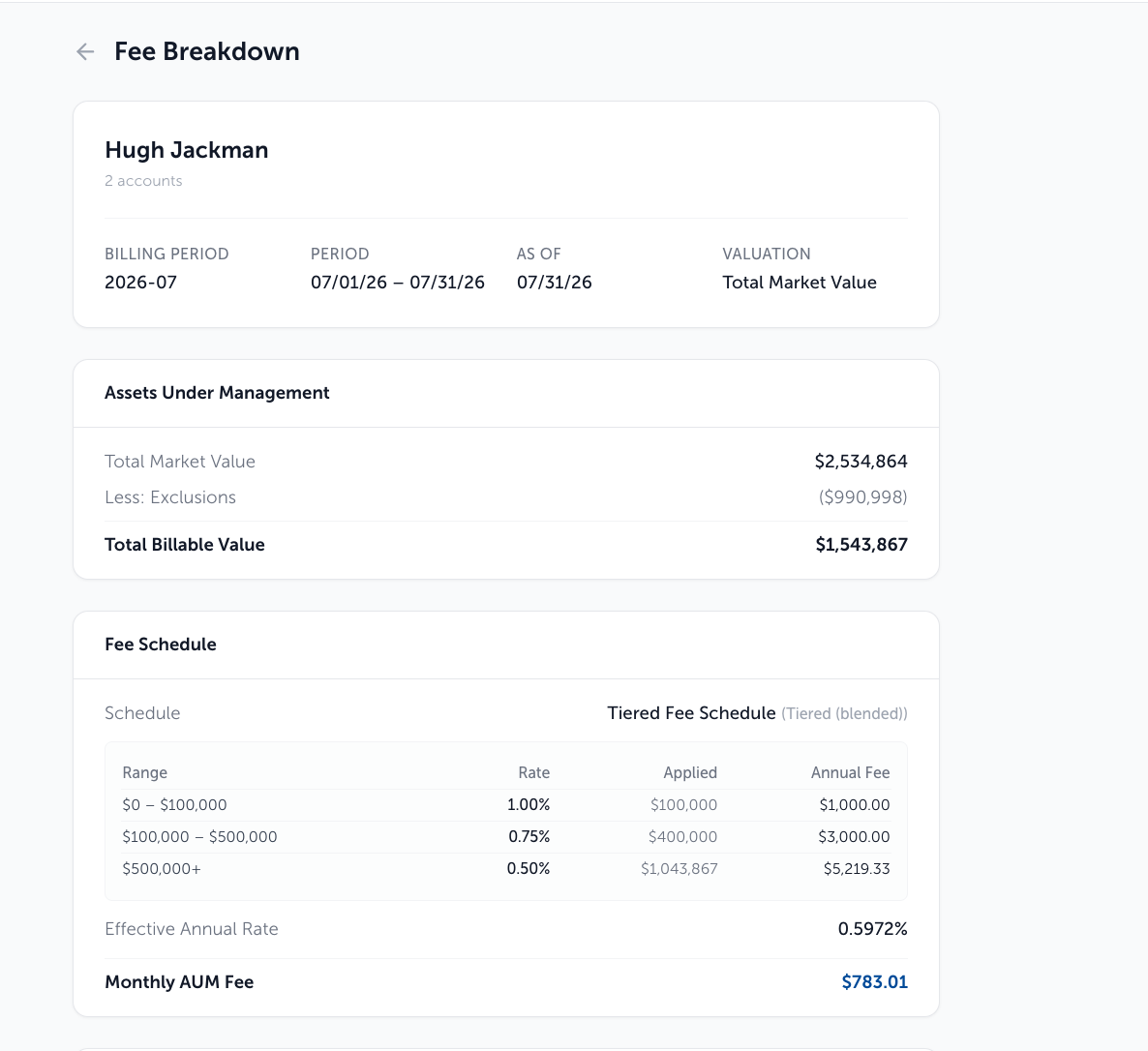
In a Billing Run and in Fee Breakdown, AUM shows to the nearest dollar and fees show to the cent. Rates show up to four decimal places, and on the Overview tab of a completed run the Effective Rate column pads them out, so a 0.85% schedule reads 0.8500%.
In Exceptions, the Proration Factor shows as a percentage to one decimal alongside the day count it came from, such as 65.9% (60/91 days).
Multiply the rate by the AUM as they appear on screen and the answer lands near the fee shown, not exactly on it. Take the fee as displayed.
Firm Settings, under Default Billing Rules, has a Round Fees to Nearest Dollar toggle. Turn it on to round account fees to whole dollars.
When the balance itself does not match:
A billing run values as of a closed period end, never a live balance. Under Advance billing that is the end of the previous period, so a Q1 2026 run reads data as of Dec 31, 2025 beside the billing run drop-down. Fee Breakdown repeats the date in its "As Of" field. A statement pulled today reflects a different date and will not agree.
When the value is right but lower than the statement:
Fees are charged on billable value: market value, less exclusions, plus or minus any cash flow adjustment.
The Assets Under Management card shows: Total Market Value, then Less: Exclusions and Cashflow Adjustment where either applies, then Total Billable Value.
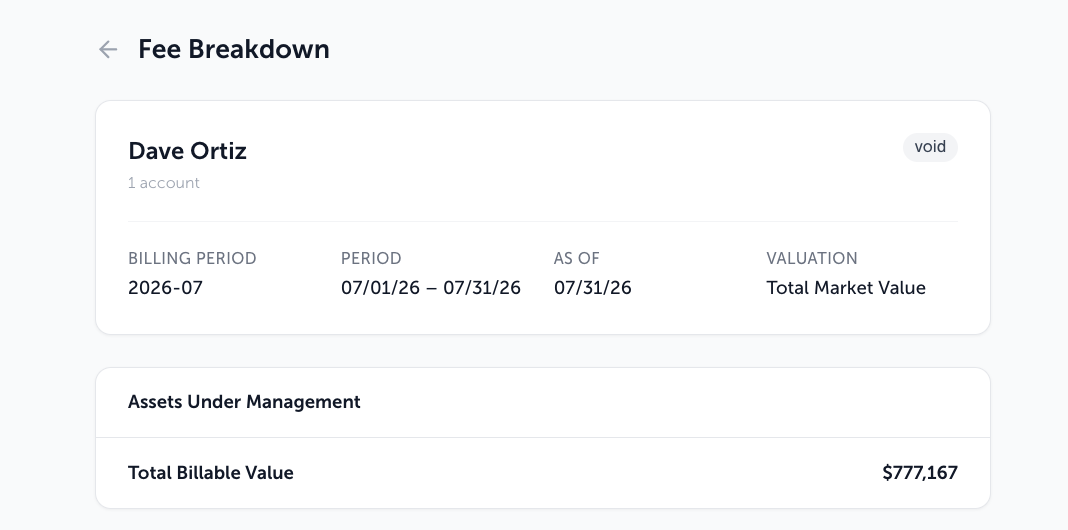
If nothing was excluded and there was no cash flow, the card shows Total Billable Value alone, because the two are the same number. When the firm values on Average Daily Balance, the first row reads Average Daily Value instead.
Need help? Email vipsupport@blueleaf.com with any billing questions, feedback, or issues.