
Blueleaf Billing: Fee Calculation Breakdown Overview
The Fee Breakdown shows how one client’s fee was derived for a billing run, from the valuation down to the amount debited from each account.

Viewing the Fee Calculation Breakdown for a Client:
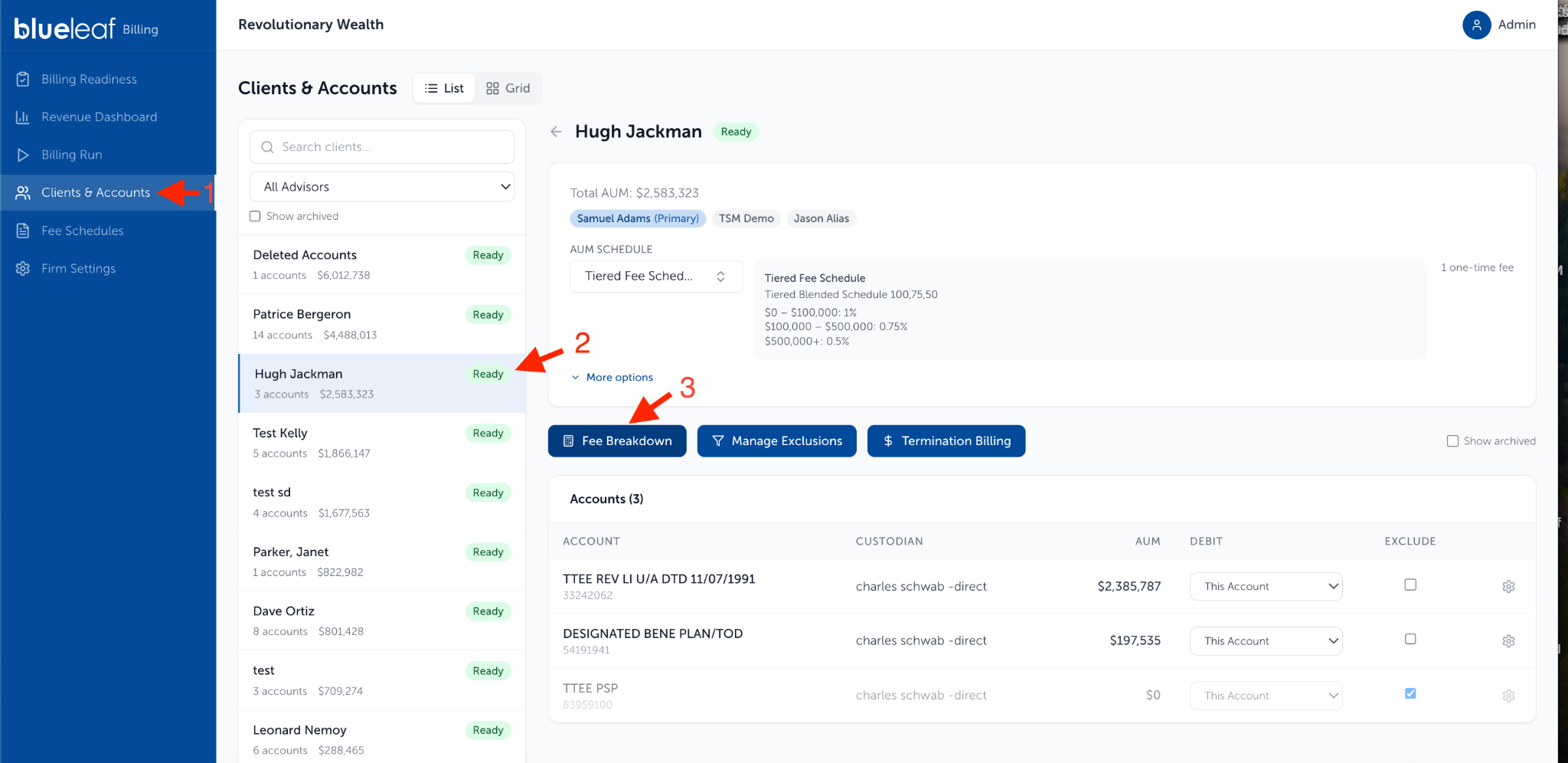
- Click on Clients & Accounts, select the client, and click Fee Breakdown to view the current run.
- To view the Fee Breakdown in a draft billing run, go to the “Billing Run” page then select the draft run from the drop-down. Click “Detail” on the client’s row in the "Review Fees" tab:

- To view the Fee Breakdown in a previous approved billing run, go to the “Billing Run” page then select the previous run from the drop-down. Click “Detail” on the client’s row:

Need help? Email vipsupport@blueleaf.com with any billing questions, feedback, or issues.