
Blueleaf Billing: Off-Cycle Billing Runs
An off-cycle run bills one client outside your normal cycle. Use it when an account opens mid-period, or when a client leaves and is owed a refund.
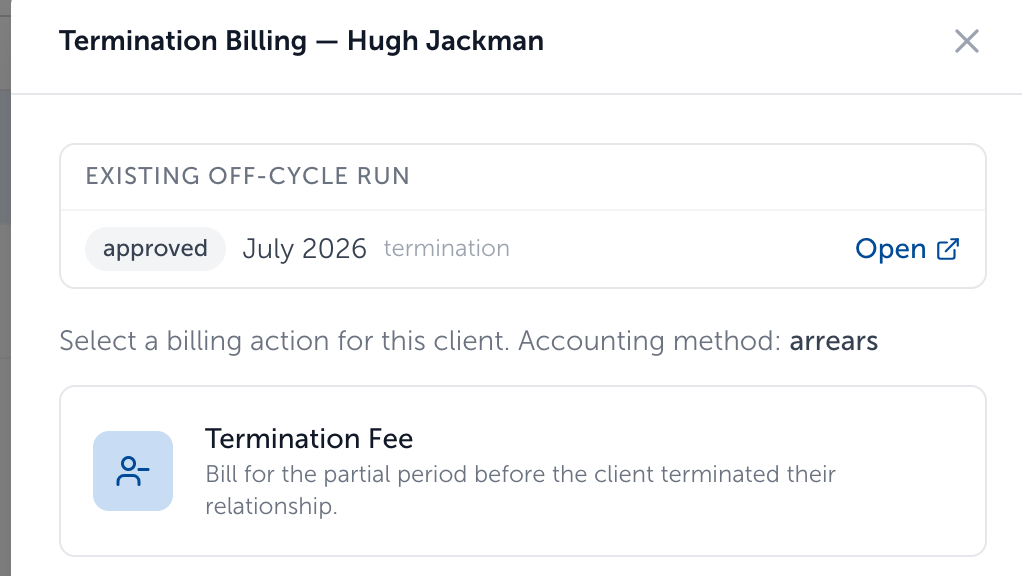
- Open Clients & Accounts, select the client then click New/Termination Billing.
- Choose the action:
-
New Account, Partial Period: bills newly opened accounts for the part of the period they were open.
-
Termination Refund: credits back the portion of a fee covering the time after the client left.

- For a new account, click the accounts to bill. Each is billed from its own opening date, shown beside it. All the accounts you select must fall in the same billing period, and any that do not are flagged so you can narrow the selection.
- For a termination, enter the date the client left.
- Click Create Off-Cycle Run. The run opens in the standard flow, so you review, approve, and export it the same way as any other.
Note: Off-cycle runs are scoped to one client, so each client gets their own run and their own approval. Existing off-cycle runs for a client are listed in the same window, which saves creating a second one by mistake.
Need help? Email vipsupport@blueleaf.com with any billing questions, feedback, or issues.