
Blueleaf Billing: Billing Clients Who Pay Outside a Custodial Draw
This article shows the steps for clients who are billed outside of the custodian payment export aka “Bill to Client”. The fee is still calculated and still billed, but the fee stays out of the custodian debit, so you collect the fees from the client directly.

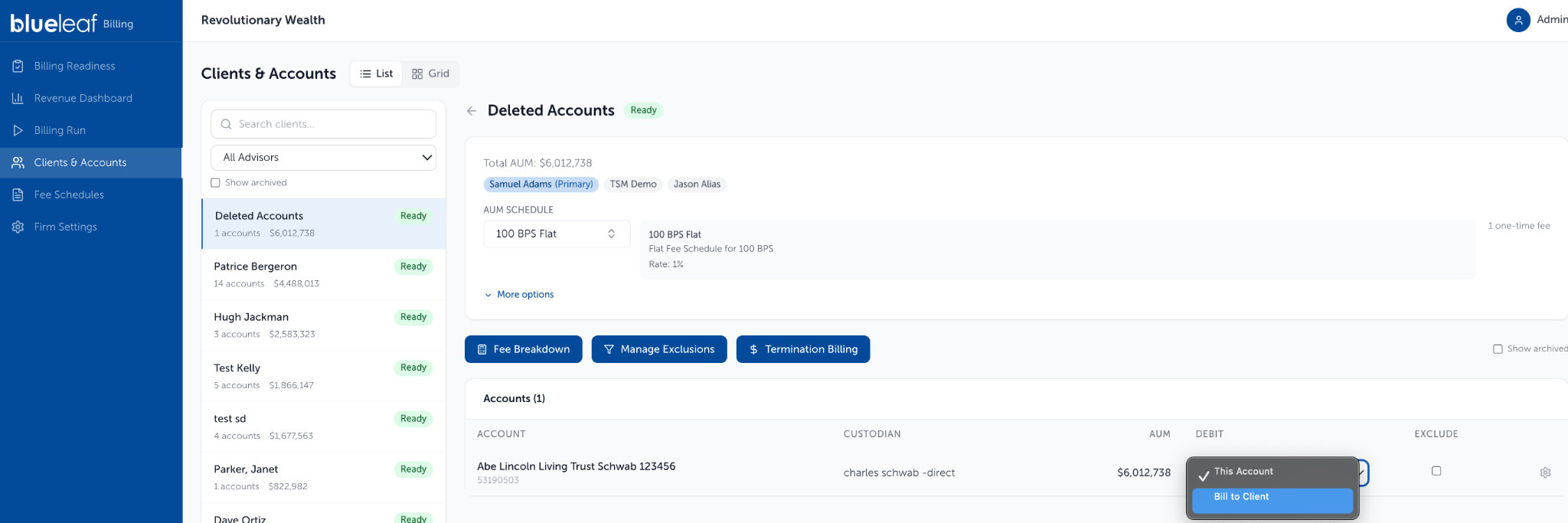
Go to the Clients & Accounts page then select the client, and find the account in the table. In the Debit column, choose Bill to Client.
To set up in bulk, open the Grid view, Accounts tab, select the appropriate accounts, choose “Bill to Client” from the action list at the top, and click Apply:
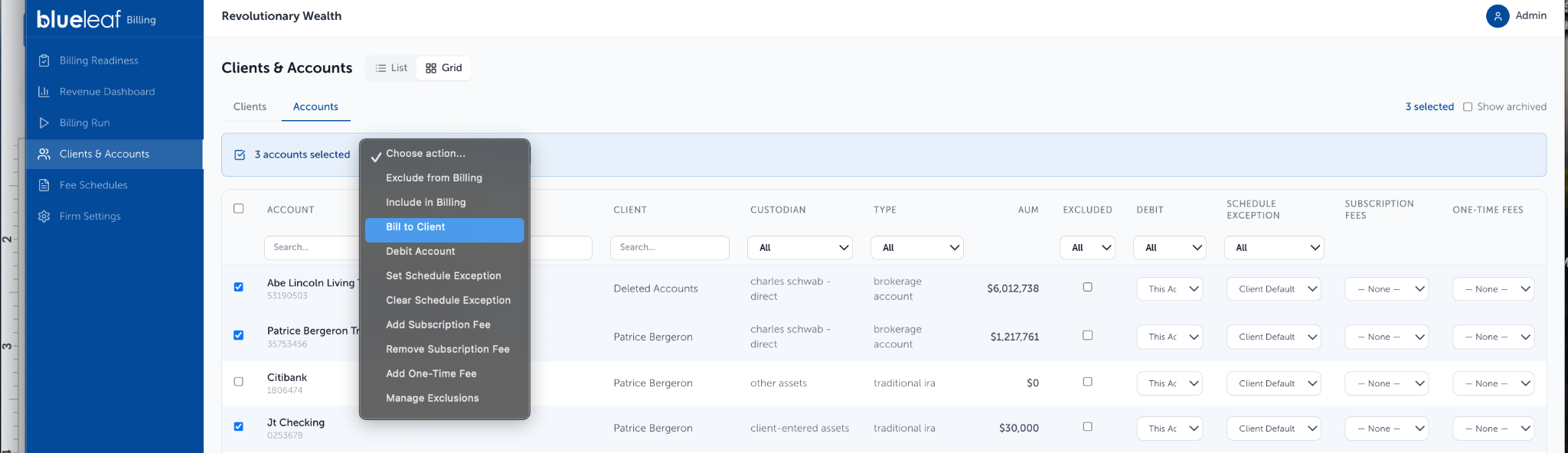
Export “Bill to Client” fees:
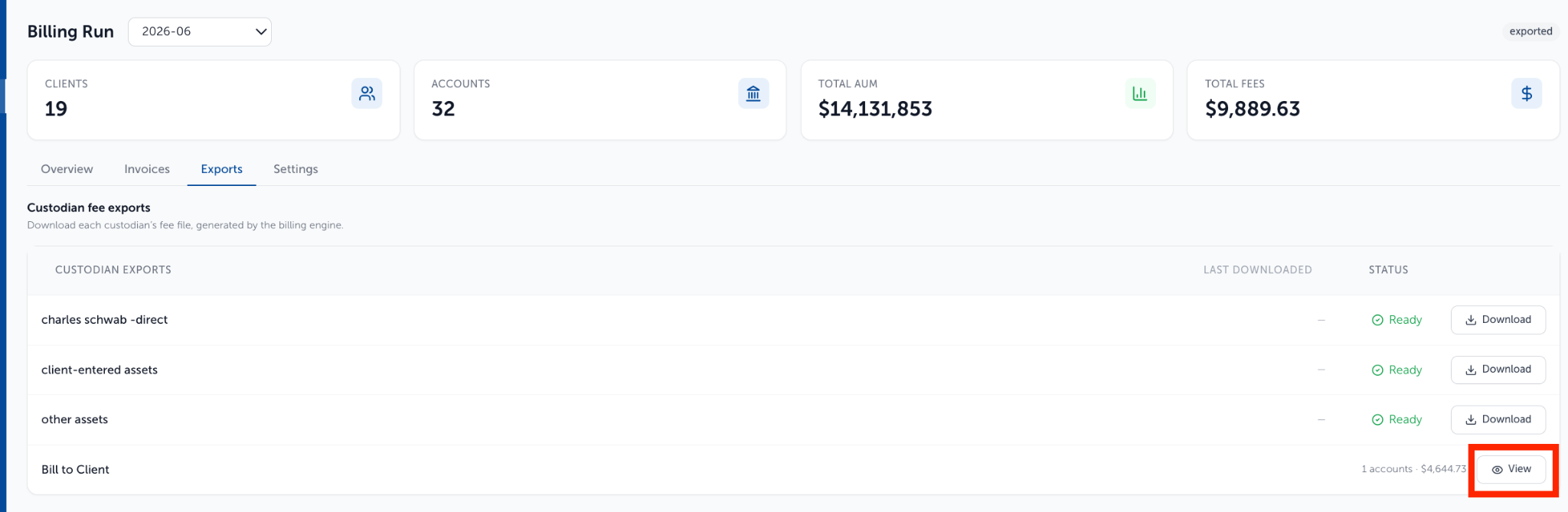
The fees group into their own bucket apart from the accounts being debited directly from the custodian. On the Generate tab of an approved run, the drop-down menu on the right lists each custodian and its account count - Bill to Client is the last entry. Choose it to see each account and its fee, with a total.

None of it goes into an export file, so after you generate the invoices and export file, the Bill to Client row carries a View button rather than a download.
On the Invoice and the Fee Breakdown:
On the Invoices tab (available on Billing Run page once Billing Run has been Exported), the client’s Total Fee covers every fee assessed for the run, these among them. How a fee is collected does not change the total.
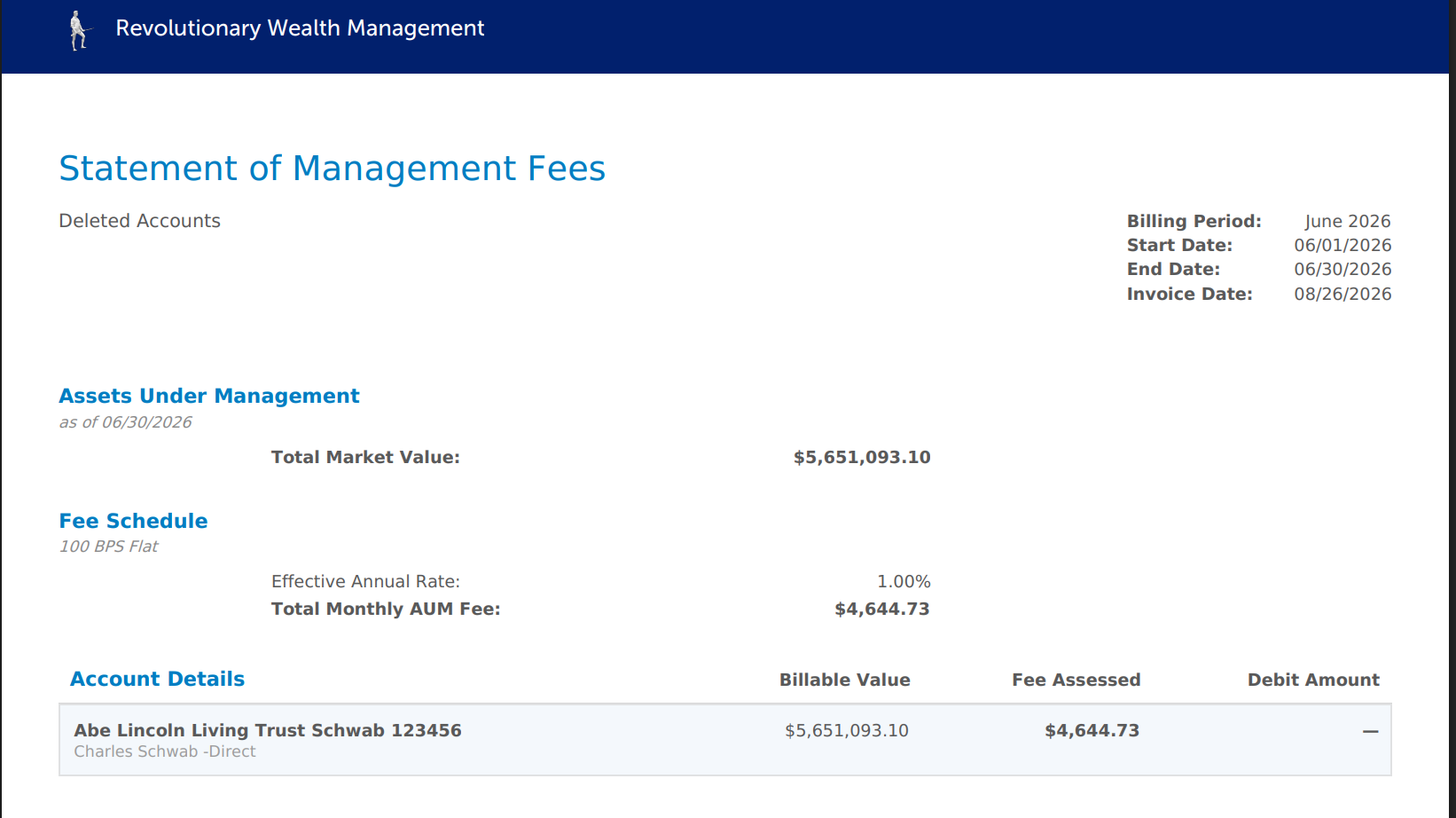
Fee Breakdown lists the fee under the Fee Assessed column and shows a dash under Debit Amount which means no debit lands on that account.

Need help? Email vipsupport@blueleaf.com with any billing questions, feedback, or issues.