
Blueleaf Billing: Adding Subscription Fees
A subscription fee is a flat dollar amount charged each billing cycle. Create it once in Fee Schedules, then attach it to a client or to a single account.
Create the fee:
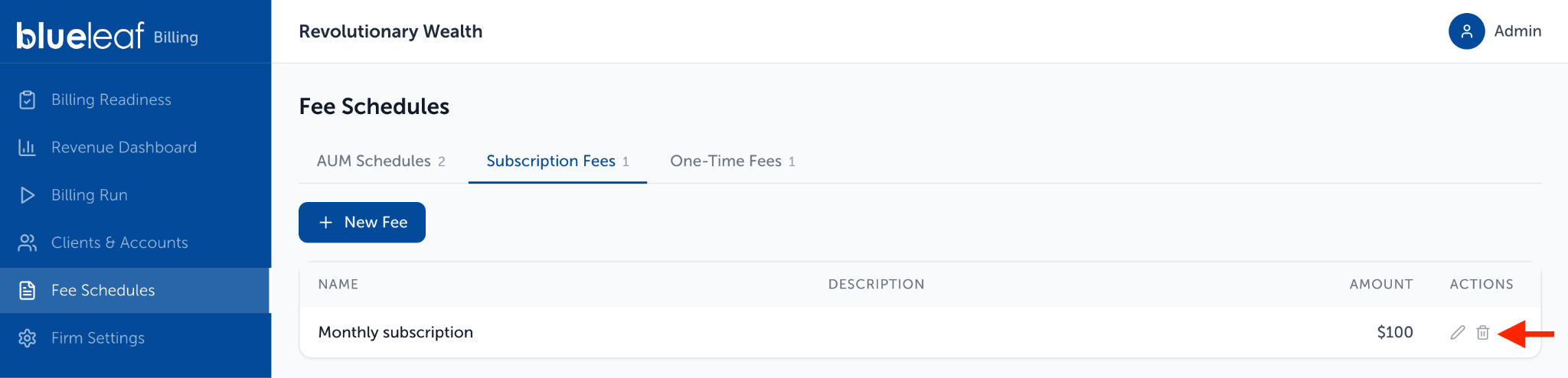
- Go to Fee Schedules and select the Subscription Fees tab.
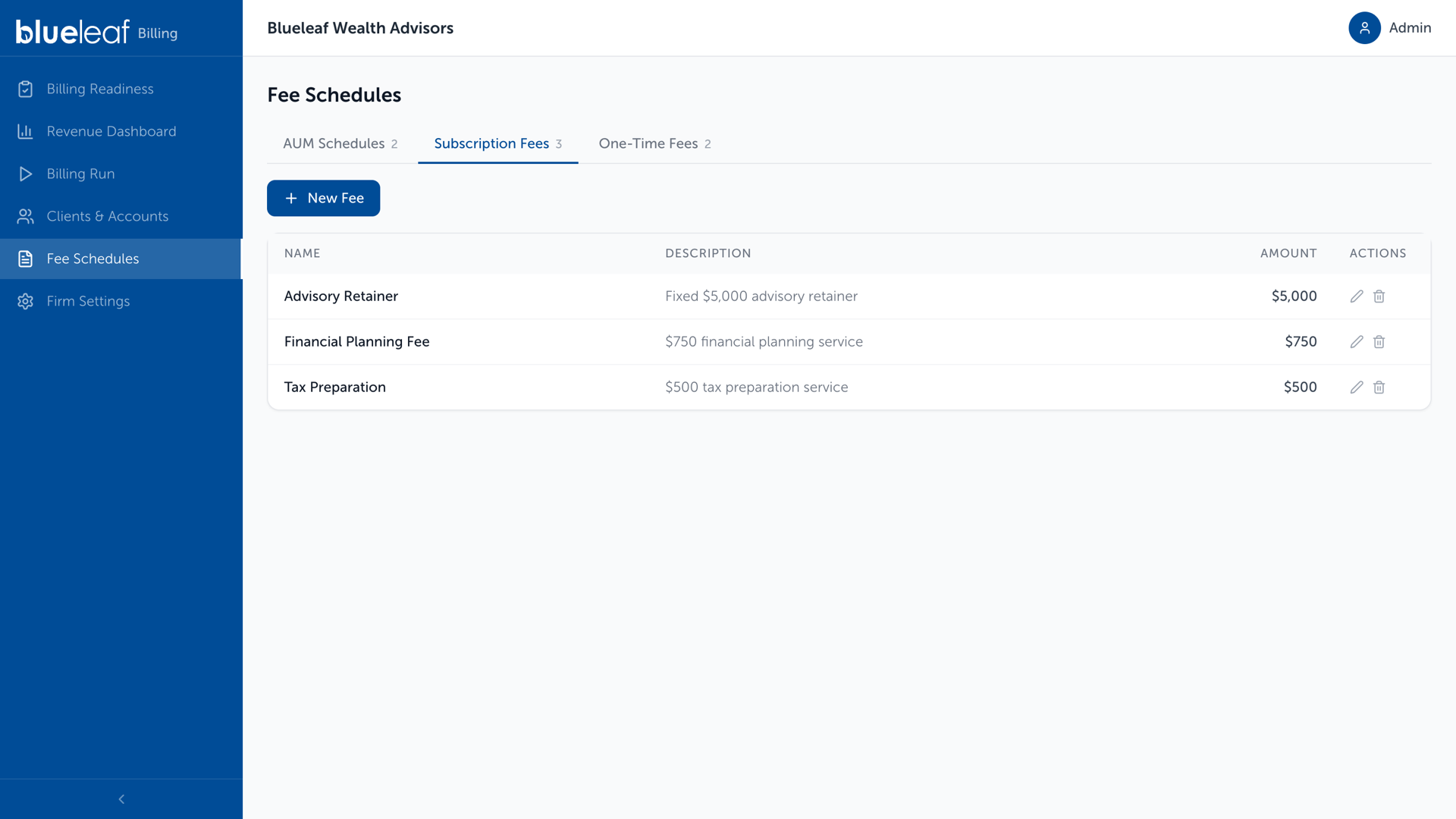
Fee Schedules, Subscription Fees tab
- Click New Fee.
- Enter the fee details:
- Fee Name: The name displayed wherever the fee appears.
- Description: Optional text shown in the Description column.
- Amount ($): Enter an amount greater than zero.
- Frequency: The firm’s billing frequency. The fee is charged each billing cycle.
- Click Create Fee.
The fee is added to the list but does not bill until it is attached to a client or account.
Assign subscription fee to a client:
- Go to Clients & Accounts, select the client, and click More options.
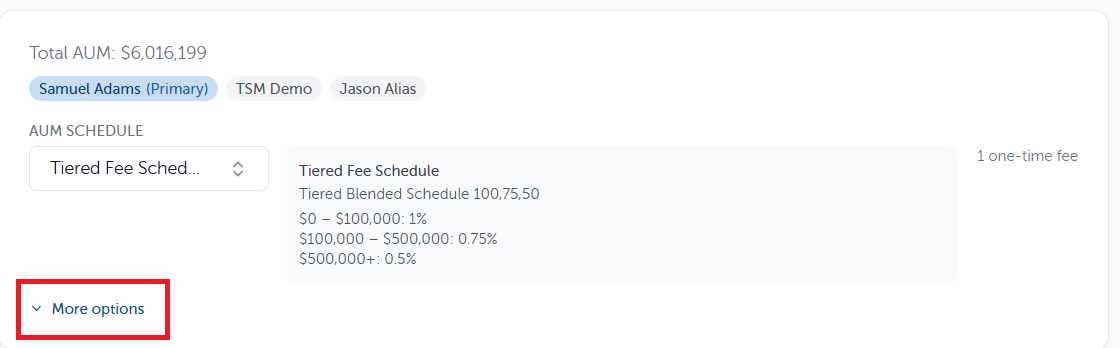
- Under Subscription Fees, select a fee from + Add subscription fee
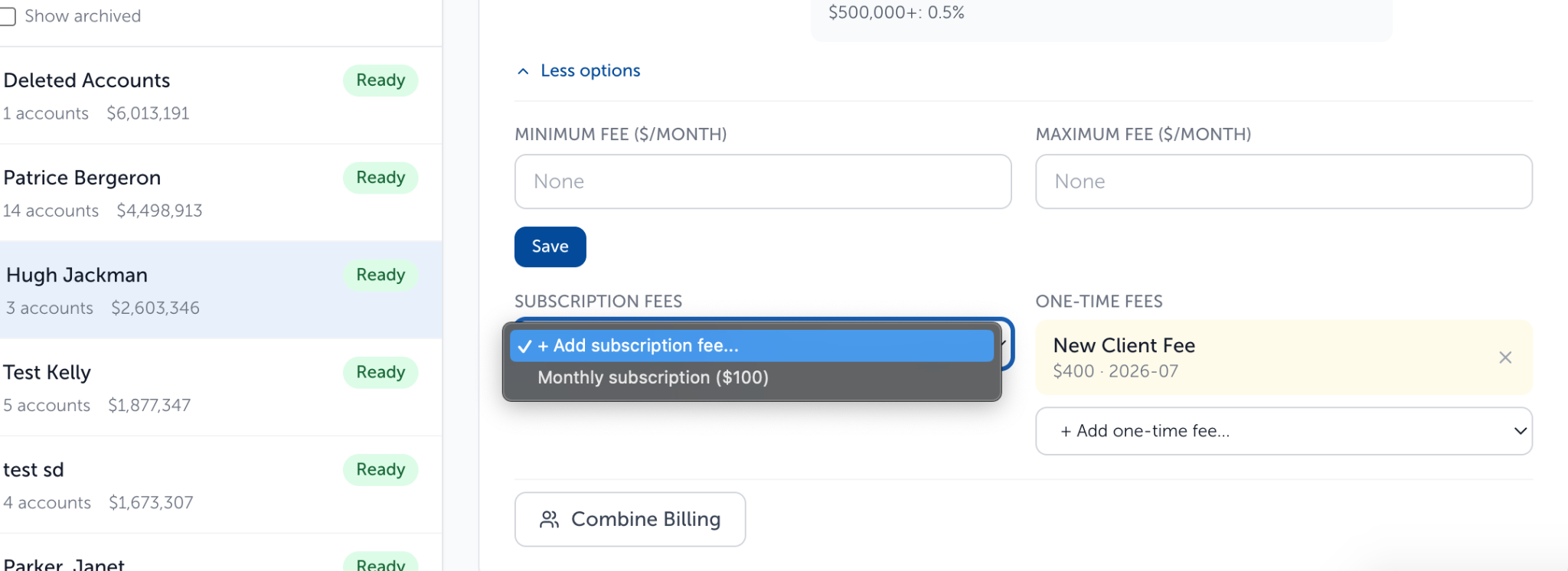
- The fee attaches automatically—no separate save is required.
- To remove a fee, click the X next to its name.
Assign it to one account:
- Go to Clients & Accounts > select the client
- In the client’s Accounts table, click the gear icon on the account row.
- Select Assign subscription fee, then choose a fee from the dropdown.
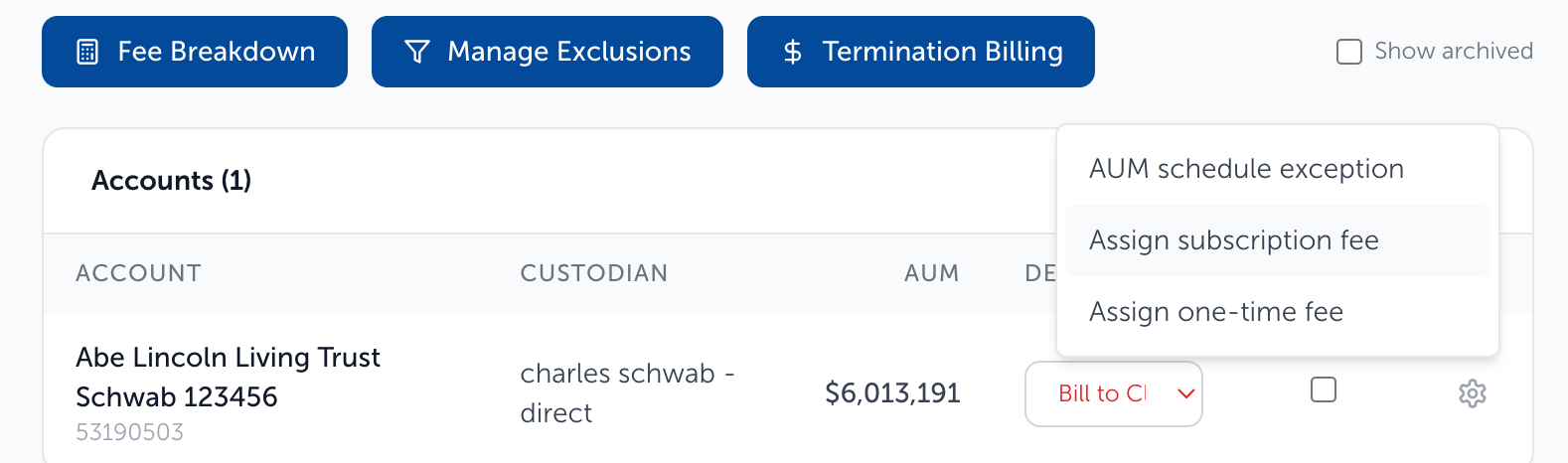
- The fee is added automatically. Click the X to exit.
- Client-level fees appear above as read-only. Account-level fees are billed in addition to these.
Note: The gear menu is unavailable for archived accounts or accounts without billing configuration.
Retire a Subscription Fee:
In Fee Schedules, click the trashbin icon on the fee’s row. The fee moves to Archived, where you can select Restore to reactivate it.
Need help? Email vipsupport@blueleaf.com with any billing questions, feedback, or issues.