
Blueleaf Billing: Basics of Firm Settings
The Firm Settings page contains a Billing Settings tab which holds the five choices that shape every bill you produce at the firm-level.
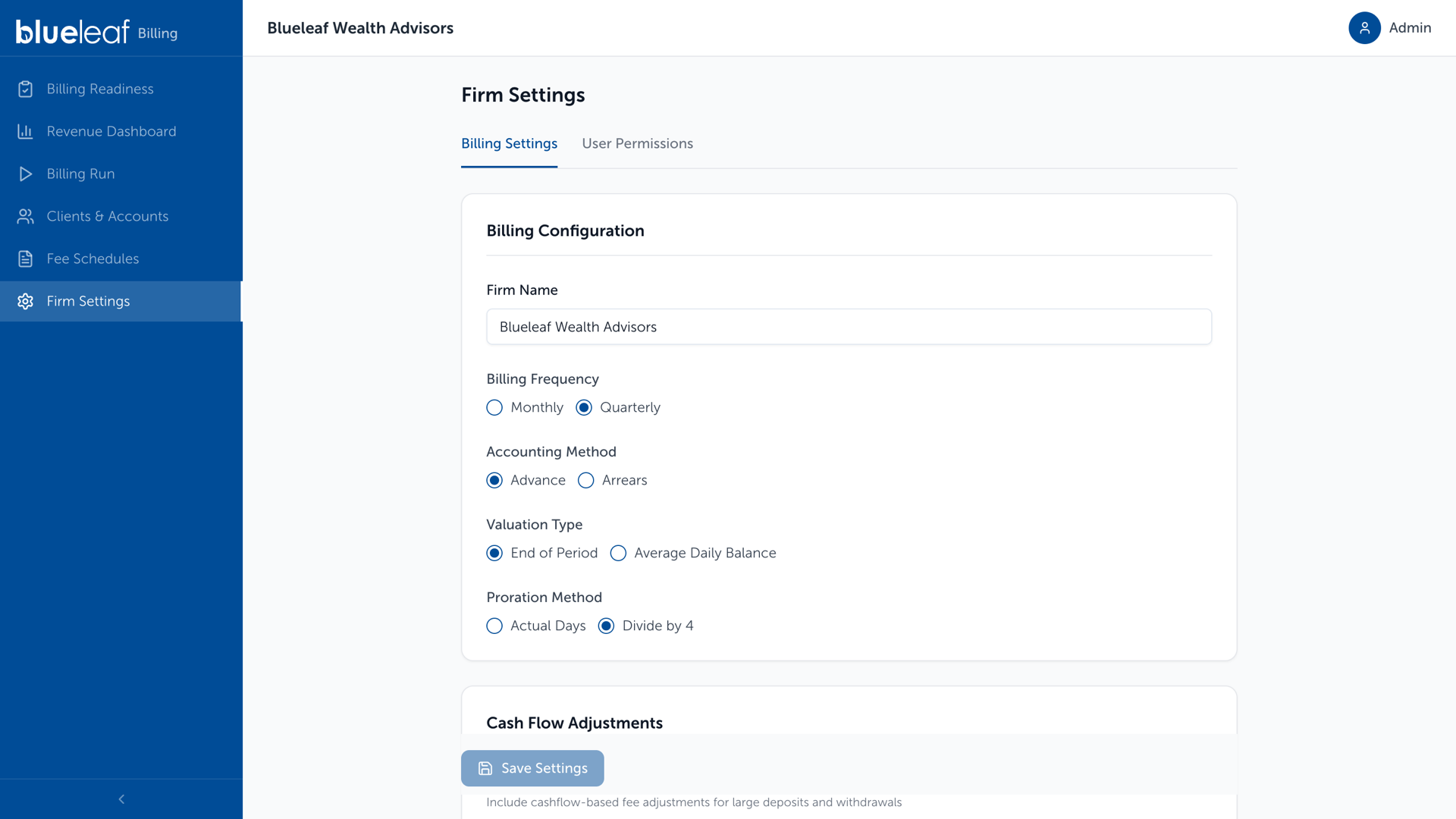
These five choices are stamped onto each billing run when it is created, so changing them here affects the next run, not one already open.
- Billing Frequency: Monthly or Quarterly or Staggered Quarterly. This sets the length of a billing cycle and the period each fee covers.
- Accounting Method: Advance bills at the start of the period. Arrears bills at the end.
- Valuation Type: End of Period values accounts on the last day of the cycle. Average Daily Balance averages across every day in it.
- Proration Method: Actual Days counts the days the account was open. The alternative follows your billing frequency: Divide by 4 when Quarterly, Divide by 12 when Monthly, each charging one full period’s fee for any part of a period.
- Cash Flow Adjustments: Turn this on to adjust fees when a large deposit or withdrawal lands mid-period. Set Cash Flow Threshold ($) to the size of movement worth adjusting for. Anything smaller is ignored.
Need help? Email vipsupport@blueleaf.com with any billing questions, feedback, or issues.